27 Best LinkedIn Hook Examples for Viral Carousel Posts
Your first slide makes or breaks your carousel. Here are 27 proven hook formulas with copy-paste templates you can use today.
The average LinkedIn user scrolls through their feed in 3-4 seconds per post. Your carousel's first slide has exactly that long to earn a swipe.
After studying hundreds of viral LinkedIn carousels (posts with 10,000+ impressions and 200+ engagements), clear patterns emerge. The hooks that work aren't random — they follow specific psychological formulas.
Below are 27 hooks organized by category, each with a fill-in-the-blank template you can adapt to your niche.
Category 1: Curiosity Hooks (The "I Need to Know" Effect)
Curiosity hooks open a knowledge gap that can only be closed by swiping. They work because the human brain physically cannot stand unresolved questions.
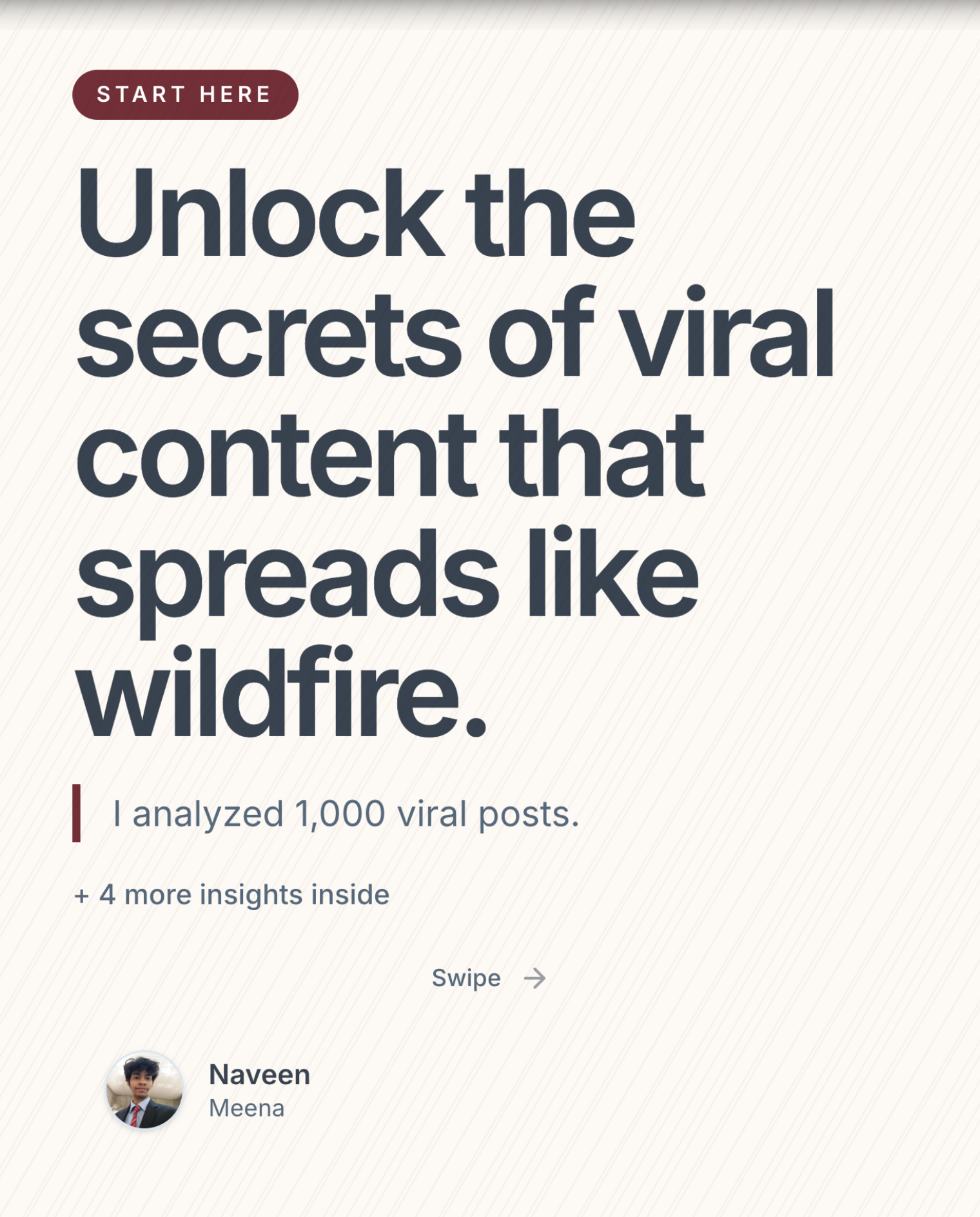
1. The Analysis Hook
Template: "I analyzed [number] [things]. Here's what they all have in common."
Example: "I analyzed 200 viral LinkedIn posts. Here's the one thing they all have in common."
2. The Hidden Pattern Hook
Template: "[X] people do [thing] every day. Only [small %] know [secret]."
Example: "10 million people post on LinkedIn daily. Only 2% know why the algorithm actually promotes their content."
3. The Unexpected Number Hook
Template: "[Surprising number] [unexpected insight]."
Example: "$0 spent on ads. 47,000 followers gained. Here's the 5-step system."
4. The Behind-the-Scenes Hook
Template: "Here's what actually happened when I [did something]."
Example: "Here's what actually happened when I posted every day on LinkedIn for 90 days."
5. The Secret Framework Hook
Template: "The [name] framework that [impressive result]. (Not what you think.)"
Example: "The 3-2-1 framework that turned my dead LinkedIn into a client machine. (Not what you think.)"
Category 2: Contrarian Hooks (The "Wait, What?" Effect)
Contrarian hooks challenge assumptions your audience holds as truth. They work because disagreement is the most powerful engagement trigger on LinkedIn.
6. The Myth-Buster Hook
Template: "[Common advice] is wrong. Here's what actually works."
Example: "'Post consistently' is the worst LinkedIn advice. Here's what actually grows your reach."
7. The Uncomfortable Truth Hook
Template: "Nobody talks about this, but [uncomfortable truth about industry]."
Example: "Nobody talks about this, but most LinkedIn 'thought leaders' have ghostwriters. And that's actually fine."
8. The "Stop Doing This" Hook
Template: "Stop [common behavior]. It's costing you [consequence]."
Example: "Stop using hashtags on LinkedIn. It's costing you 30% of your reach."
9. The Unpopular Opinion Hook
Template: "Unpopular opinion: [bold claim that challenges the norm]."
Example: "Unpopular opinion: Canva templates are killing your LinkedIn engagement."
10. The "Overrated/Underrated" Hook
Template: "[Popular thing] is overrated. [Overlooked thing] is underrated. Here's why."
Example: "Viral posts are overrated. Consistent carousels are underrated. Here's why."
Category 3: Problem Hooks (The "That's Me" Effect)
Problem hooks call out a specific pain point your audience experiences. They work because recognition triggers an emotional response — "this person gets me."
11. The Time Waste Hook
Template: "You're spending [time] on [task] and getting [poor result]. Here's a faster way."
Example: "You're spending 3 hours on each LinkedIn carousel and getting 15 likes. Here's a 10-minute alternative."
12. The Silent Struggle Hook
Template: "If you're struggling with [problem], you're probably making these [number] mistakes."
Example: "If you're struggling to grow on LinkedIn, you're probably making these 7 content mistakes."
13. The Before/After Hook
Template: "[Time] ago I had [bad state]. Today I have [good state]. Here's what changed."
Example: "6 months ago I had 200 followers and zero leads. Today I have 15K followers and a waitlist. Here's what changed."
14. The Cost Hook
Template: "[Mistake] cost me [consequence]. Don't repeat it."
Example: "Ignoring LinkedIn carousels cost me 6 months of growth. Don't repeat my mistake."
Category 4: List & Value Hooks (The "Save This" Effect)
Value hooks promise a specific, concrete deliverable. They work because people save LinkedIn posts that feel like cheat sheets.
15. The Cheat Sheet Hook
Template: "The [topic] cheat sheet I wish I had when I started."
Example: "The LinkedIn content cheat sheet I wish I had when I started creating."
16. The "In [Time]" Hook
Template: "Learn [skill/concept] in [short time]. A visual guide."
Example: "Learn LinkedIn SEO in 60 seconds. A visual guide."
17. The Mistake List Hook
Template: "[Number] mistakes killing your [desired outcome]. Fix them today."
Example: "9 mistakes killing your LinkedIn engagement. Fix them today."
18. The Comparison Hook
Template: "[Beginner behavior] vs. [Expert behavior]. Which one are you?"
Example: "Amateur LinkedIn creator vs. Pro LinkedIn creator. Which one are you?"
Category 5: Story Hooks (The "Tell Me More" Effect)
Story hooks open a narrative arc that humans are hard-wired to follow to completion. They're especially powerful for founder and personal brand content.
19. The Failure Story Hook
Template: "I failed at [thing] [number] times before [breakthrough]. Here's every lesson."
Example: "I failed at content creation 3 times before building a 50K audience. Here's every lesson."
20. The Origin Story Hook
Template: "[Time] ago, I was [relatable starting point]. Here's what happened next."
Example: "2 years ago, I was mass-applying to jobs on LinkedIn with zero replies. Here's what happened next."
21. The Turning Point Hook
Template: "One [small action] changed everything about my [area]. Let me explain."
Example: "One carousel post changed everything about my LinkedIn strategy. Let me explain."
Category 6: Authority Hooks (The "I Should Listen" Effect)
22. The Credentials Hook
Template: "After [impressive credential], here are [number] things I know for sure about [topic]."
Example: "After growing 3 brands to 100K+ followers, here are 8 things I know for sure about LinkedIn content."
23. The Data-Backed Hook
Template: "We tested [thing] across [number] [sample]. The results surprised us."
Example: "We tested 12 carousel formats across 500 posts. The results surprised us."
24. The Industry Insider Hook
Template: "As a [role] at [company/industry], here's what most people get wrong about [topic]."
Example: "As a content strategist at a B2B SaaS, here's what most people get wrong about LinkedIn carousels."
Category 7: Trend Hooks (The "I'm Behind" Effect)
25. The Prediction Hook
Template: "[Year] will change [industry/topic] forever. Here are [number] trends you need to know."
Example: "2025 will change LinkedIn content forever. Here are 7 trends you need to know."
26. The "Everyone's Doing This Wrong" Hook
Template: "[Topic] has changed. Most [audience] are still doing it the old way."
Example: "LinkedIn content has changed. Most creators are still doing it the 2022 way."
27. The New Rules Hook
Template: "The old rules of [topic] are dead. Here are the new ones."
Example: "The old rules of LinkedIn growth are dead. Here are the new ones for 2025."
How to Choose the Right Hook for Your Carousel
Not every hook works for every piece of content. Here's a quick decision framework:
- Teaching something? Use Curiosity or Value hooks (#1-5, #15-18)
- Sharing an opinion? Use Contrarian hooks (#6-10)
- Sharing experience? Use Story or Problem hooks (#11-14, #19-21)
- Establishing credibility? Use Authority hooks (#22-24)
- Covering news or changes? Use Trend hooks (#25-27)
Pro tip: Don't just pick one hook. Write 3-5 variants and test your gut reaction. The one that makes you want to keep reading is probably the winner.
Generate Hooks Automatically
Writing hooks from scratch is hard. That's why LinkDeck AI generates 3 hook variants for every carousel using the curiosity, contrarian, and problem patterns. You paste your content, the AI creates scroll-stopping hooks, and you pick the winner.
No more staring at a blank first slide. Try it free.