How to Repurpose Blog Posts Into LinkedIn Carousels (10x Your Content Reach)
You already have the content. You just need a better distribution strategy. Here's how to turn one blog post into a high-performing LinkedIn carousel.
You spent 4 hours writing a blog post. It got 200 views. Meanwhile, someone turned the same topic into a LinkedIn carousel and got 50,000 impressions.
The content isn't the problem — the format is. Blog posts live on your website and depend on SEO. LinkedIn carousels live in the feed and get distributed by the algorithm. By repurposing one into the other, you get the benefits of both without creating content twice.
Why Repurposing Works Better Than Creating From Scratch
Content repurposing isn't lazy — it's strategic. Here's why:
- Different audiences, different platforms: Only 5-10% of your blog readers are also active on LinkedIn. Repurposing reaches entirely new people.
- Proven content: If a blog post performed well, the ideas are already validated. You're not guessing whether the topic resonates — you know it does.
- Faster production: Writing from scratch takes hours. Repurposing takes minutes. You already did the research, thinking, and writing.
- Compound distribution: One piece of content living on multiple platforms multiplies your reach without multiplying your effort.
The 5-Step Blog-to-Carousel Framework
Not every blog post makes a good carousel. And you can't just copy-paste paragraphs onto slides. Here's the framework for doing it right.
Step 1: Pick the Right Blog Post
The best blog posts to repurpose share these traits:
- Listicle or how-to format: Posts with numbered steps, tips, or items translate naturally into one-idea-per-slide carousels.
- Strong opinions or insights: Posts that take a stance generate more engagement as carousels than neutral informational content.
- Proven performers: Check your analytics. Posts with high time-on-page, shares, or comments have validated ideas worth repurposing.
Posts that don't work well: deeply technical tutorials with code blocks, news roundups that will be outdated quickly, or very short posts with only one point.
Step 2: Extract the Core Ideas
Read through your blog post and pull out the 5-8 main ideas. Each idea becomes one carousel slide. You're looking for:
- Key points or arguments
- Statistics or data points
- Frameworks or processes
- Memorable quotes or one-liners
- The main conclusion or takeaway
Think of it like creating a highlight reel. You're keeping the best 20% of the content and cutting the rest. The carousel should stand alone — someone who never reads the blog post should still get full value.
Step 3: Rewrite the Hook for LinkedIn
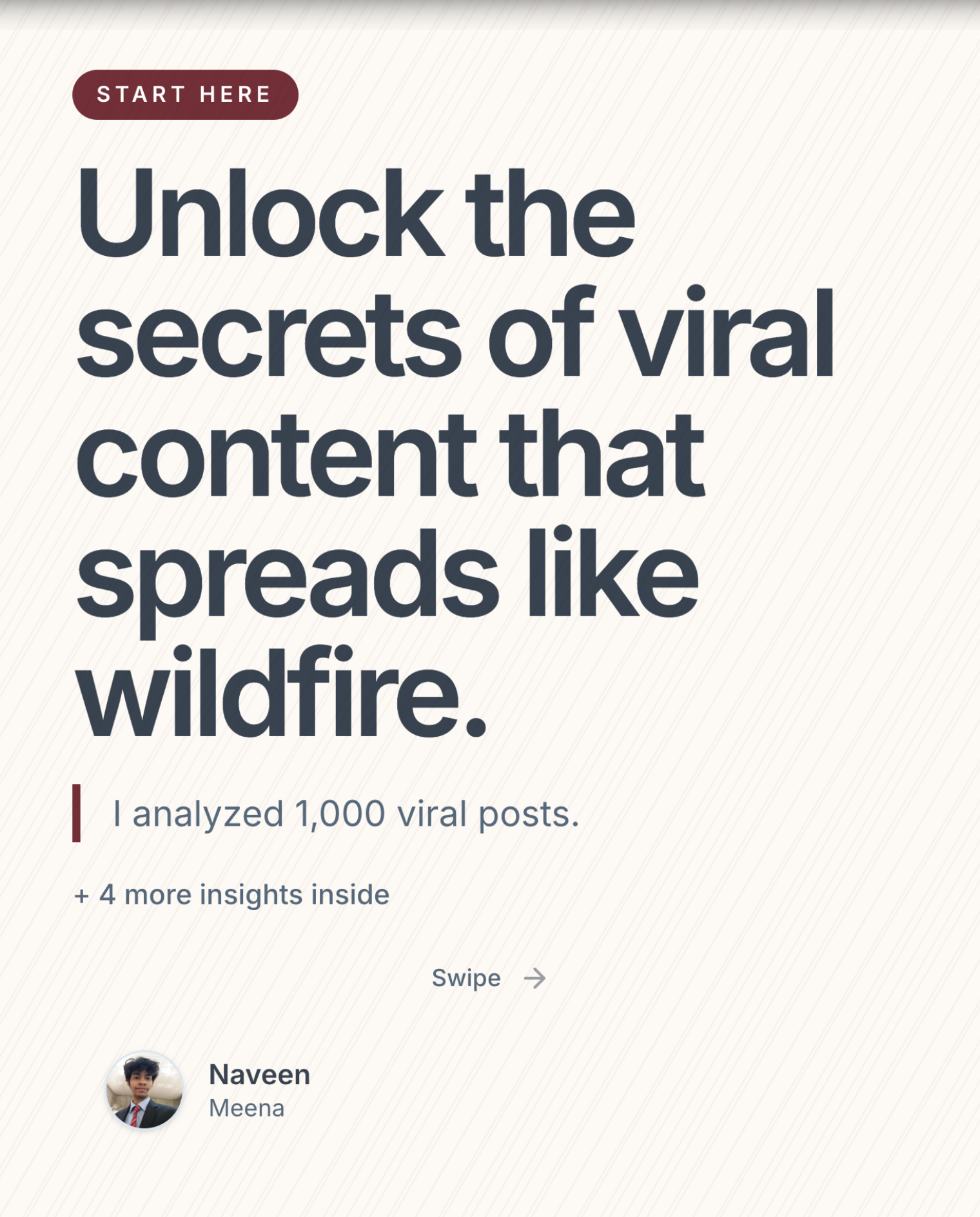
Your blog title and your carousel hook are different things. Blog titles are optimized for SEO (keywords, search intent). Carousel hooks are optimized for scroll-stopping (curiosity, emotion, pattern interruption).
Here's how the same content gets different hooks:
- Blog title: "10 Productivity Tips for Remote Workers in 2025"
- Carousel hook: "I work 5 hours a day and get more done than when I worked 10. Here's the system."
The blog title tells Google what the page is about. The carousel hook makes a human stop scrolling.
Step 4: Structure the Slides
Follow this slide structure for maximum retention:
- Slide 1 — Hook: Scroll-stopping headline adapted from your blog's main argument
- Slide 2 — Context: Set up the problem your blog post addresses
- Slides 3-7 — Core ideas: One extracted idea per slide with a bold headline (12-14 words max) and 1-2 supporting sentences
- Slide 8 — Summary: Bullet-point recap of the key takeaways
- Slide 9 — CTA: Follow for more, comment your thoughts, or link to the full blog post
Step 5: Design and Export
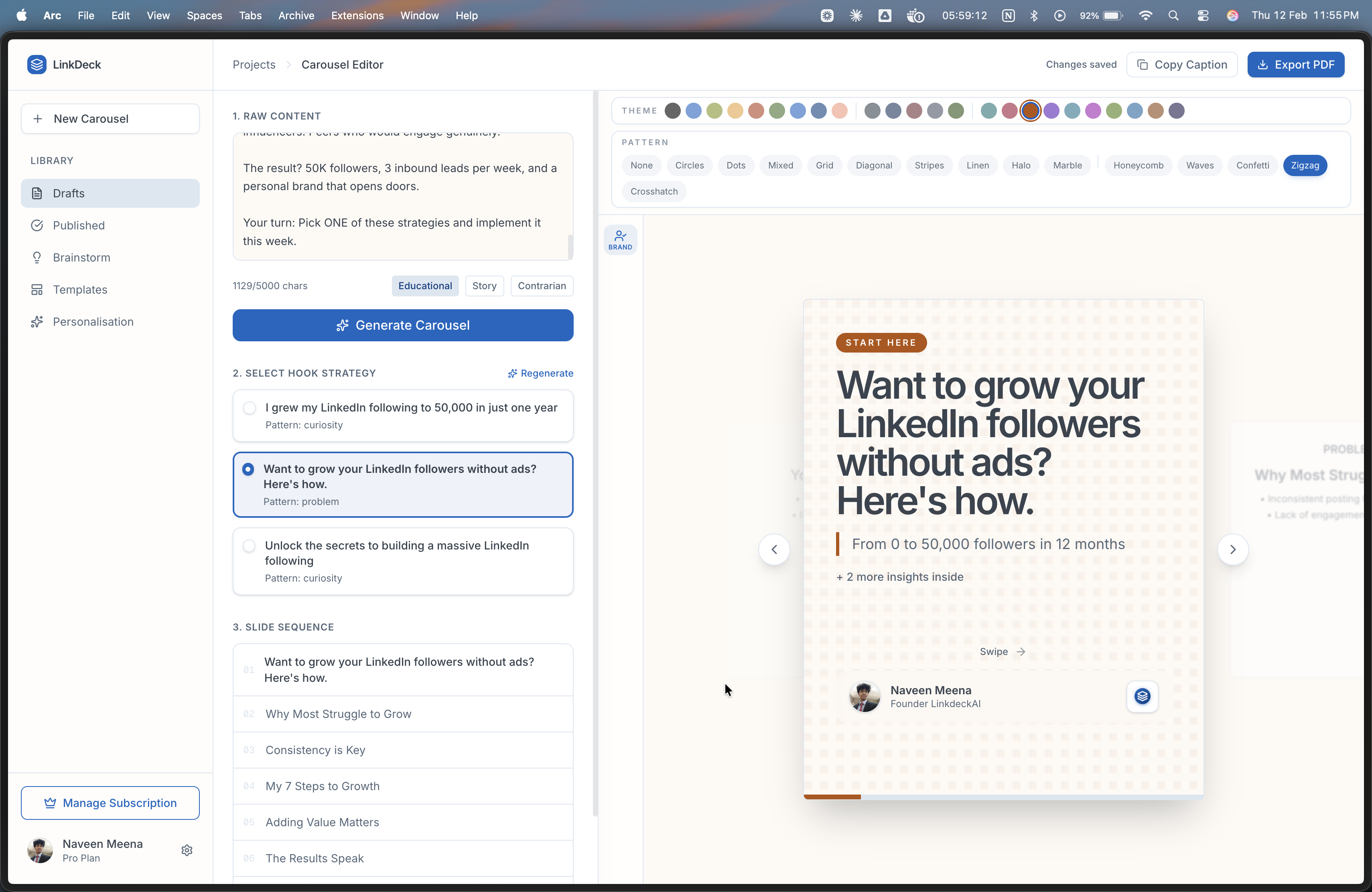
This is where most people lose time. You don't need to open Canva and manually design 9 slides. Here are your options:
- Fast way (2 minutes): Paste your extracted content into LinkDeck AI, pick a hook variant, choose a theme, and export the PDF.
- Manual way (1-2 hours): Create slides in Canva or Figma, manually format each one, export as PDF.
Real Example: Blog to Carousel in Action
Let's walk through a concrete example. Say you have a blog post titled: "7 Mistakes First-Time Founders Make When Hiring."
Original Blog Structure:
- Introduction (3 paragraphs about hiring challenges)
- Mistake 1: Hiring friends instead of skills (4 paragraphs)
- Mistake 2: Skipping reference checks (3 paragraphs)
- Mistake 3: Optimizing for speed over fit (3 paragraphs)
- Mistake 4: No structured interview process (4 paragraphs)
- Mistake 5: Ignoring culture alignment (3 paragraphs)
- Mistake 6: Overpaying or underpaying (3 paragraphs)
- Mistake 7: Not having a 90-day plan (3 paragraphs)
- Conclusion (2 paragraphs)
Carousel Version:
- Slide 1: "I made 7 hiring mistakes that nearly killed my startup. Don't repeat them."
- Slide 2: "Hiring is the #1 make-or-break decision for early-stage founders. Here's what I got wrong."
- Slides 3-9: One mistake per slide with a bold headline and one-sentence explanation
- Slide 10: Summary: "The 7 hiring mistakes: [bullet list]"
- Slide 11: CTA: "Follow for more founder lessons. What was your worst hiring mistake? Comment below."
Same ideas. Different format. 10x the reach.
Content Repurposing Calendar: One Blog, Five Formats
Don't stop at carousels. Here's how one blog post becomes a week of content:
- Monday: Publish the blog post on your website
- Tuesday: Repurpose into a LinkedIn carousel (using this guide)
- Wednesday: Pull out the best quote for a single-image LinkedIn post
- Thursday: Turn the key points into a Twitter/X thread
- Friday: Record a 60-second video covering the main takeaway
Five pieces of content. One round of research and thinking. This is how prolific creators maintain consistency without burnout.
3 Mistakes to Avoid When Repurposing
1. Copy-Pasting Paragraphs Onto Slides
A carousel is not a blog post chopped into pieces. Each slide needs to be rewritten for the format: short headline, minimal text, one idea. If someone has to read more than 3 sentences per slide, it's too much.
2. Using Your Blog Title as the Hook
SEO titles and carousel hooks serve completely different purposes. Always rewrite the hook specifically for LinkedIn's feed context.
3. Forgetting the CTA
Your last slide should drive action: follow, comment, save, or click through to the full blog post. A carousel without a CTA is a missed opportunity.
Key Takeaways
- Repurposing reaches new audiences without creating new content
- Pick blog posts with list/how-to formats and proven engagement
- Extract 5-8 core ideas and rewrite each as a carousel slide
- Always rewrite the hook for LinkedIn — SEO titles don't work as carousel hooks
- One blog post can become 5 pieces of content across different platforms
- Use LinkDeck AI to go from blog extract to finished PDF in under 2 minutes
Ready to repurpose your best content? Try LinkDeck AI free and turn your next blog post into a LinkedIn carousel in minutes.